
Gesture control & hand tracking for every screen
AirTouch by Neural Lab turns any camera into a gesture interface that maps to mouse, keyboard, and touch. No SDK, no headset, no proprietary hardware.
7-day free trial · Card required · Cancel anytime
As seen in





How it works
From Any Camera to Working Gesture Control in Three Steps

01
Install
Download AirTouch and point any webcam at the user. That's the setup.
02
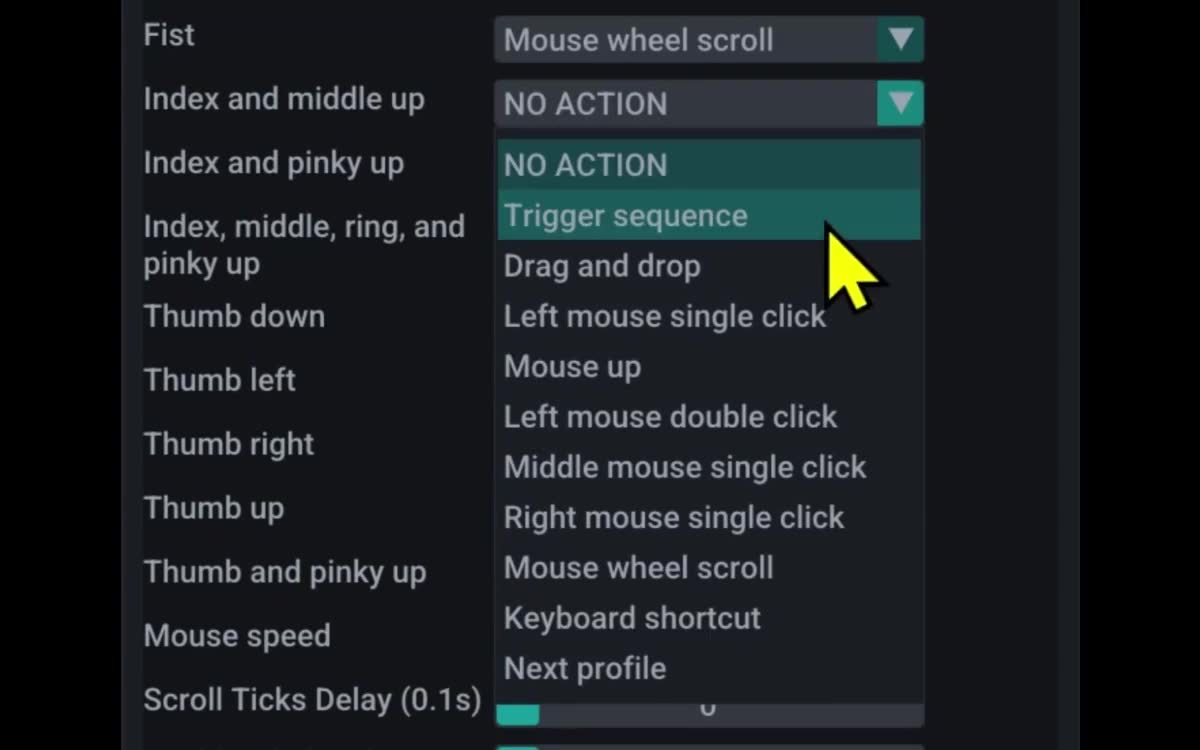
Map
Pick from the AirTouch gesture library. Map each gesture to a mouse click, key press, or touch event.
03
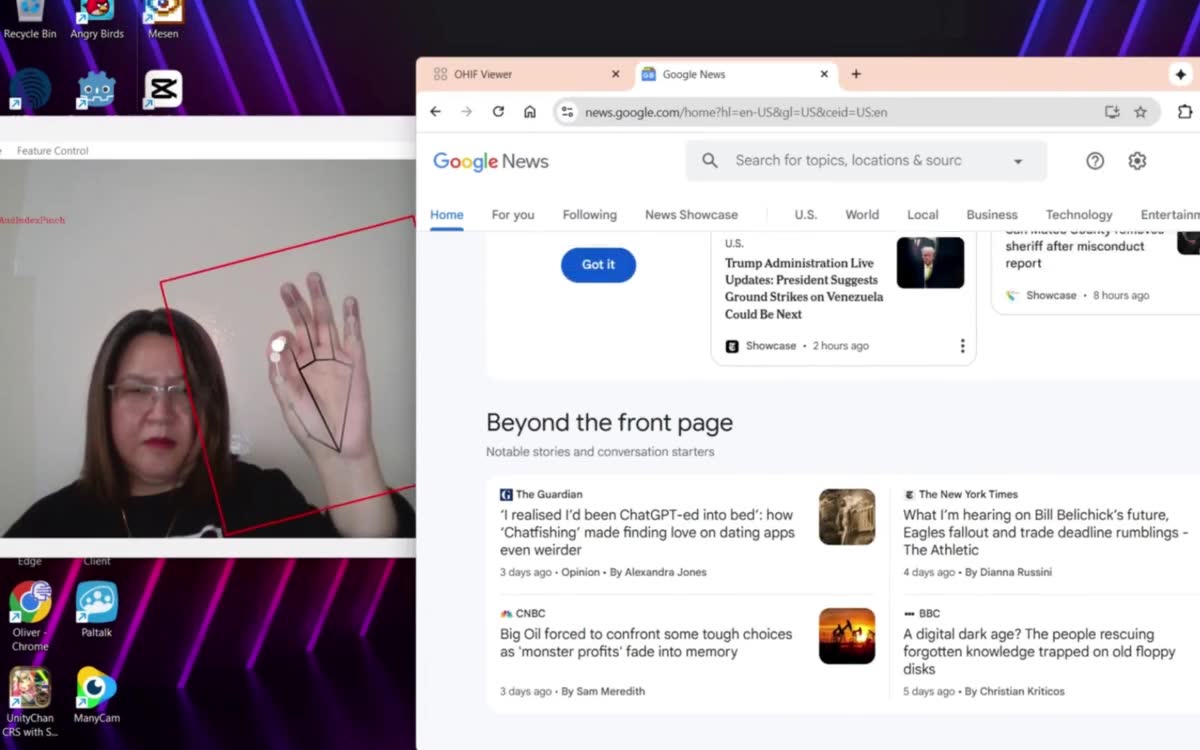
Use
Open the app you already use. Control it with your hand. Nothing to integrate, nothing to rewrite.
Three steps. Not a six-month integration project.
Why AirTouch
Gesture Control Without the Overhaul
Most hand tracking systems ask you to buy hardware, hire integrators, and rewrite your software. AirTouch does the opposite.
Any camera you already own
RGB webcam, phone camera, laptop camera, IP camera. If it streams video, AirTouch's hand tracking works with it. No depth sensors. No proprietary bar taped to a monitor.
Any app you already have
AirTouch maps gestures to the inputs your operating system already speaks: mouse clicks, keyboard keys, and touch events. If your app accepts a click, it accepts AirTouch gesture control. Nothing to integrate. Nothing to recompile.
Five minutes from download to demo
Install AirTouch. Point a camera. Map a gesture. First-time users go from zero to working gesture control before the coffee finishes brewing.
Reads intent, not just motion
AirTouch's patented intent detection picks the primary actor out of a crowd and locks onto them until they're done, so stray hands and passing motion get filtered out instead of taking over mid-task. Most gesture systems just fire on any hand that moves.
The difference
Better Outcome, Less of Your Team's Time
The old way
AirTouch
Hardware
✕
Proprietary sensor required
✓
Camera you already own
Integration
✕
Schedule a project
✓
Download and install
App support
✕
SDK code per app
✓
Any mouse, keyboard, or touch app
Time to deploy
✕
3 to 6 months
✓
Five minutes
Intent detection
✕
Fires on any motion
✓
Locks onto the primary user
Vendor lock-in
✕
Replace when vendor pivots
✓
Universal OS inputs
That's the difference between a science project and a shipping product.
Solutions
One Hand Tracking Technology, Every Screen
AirTouch runs in operating rooms, conference centers, factory floors, retail kiosks, and OEM products. The use cases keep growing because gesture control at the OS input layer is universal.

Medical and sterile environments
Working with technology shouldn't mean more risk of transmission. AirTouch keeps interaction sterile across surgical suites, pathology labs, the ICU, and quarantine.

Exhibits and immersive experiences
A VR headset traps the experience on one person's face. AirTouch brings Apple Vision Pro-like gestures to any display instead, transparent, projected, VR cave, large or small.

Industrial and manufacturing
AirTouch holds up where other interfaces quit: clean rooms, dirty rooms, heavy vibration, protective glass, gloved hands, or from across the room.

Office and enterprise
Drive presentations from across the boardroom. Turn any display into a smart board. AirTouch makes any screen interactive, big or small.


OEM integrations
Embed AirTouch hand tracking inside vehicles, consumer electronics, TV, kiosk, or signage displays.
Built for both
For developers and individuals
Download AirTouch and start in five minutes with any webcam. Use it with the apps you already have, or dig into code samples to build gesture control into your own projects.
7-day free trial · Card required · Cancel anytime
For enterprises and OEM
On-prem hand tracking deployment, offline licenses, GDPR-compliant analytics, SLA, and dedicated integration support for OEM and large rollouts.
Common questions
Everything You'd Ask in the First Sales Call
Best smart board for a conference room →
Talk to a human
Have a Question About Your Setup?
Tell us about your camera, screen, and app. We typically reply within one business day.
Less Science Project, More Shipping Product
Five-minute install. No code. Any camera. Any app.
7-day free trial · Card required · Cancel anytime
© 2026 Neural Lab, Inc.
Designed and built in Sunnyvale, CA